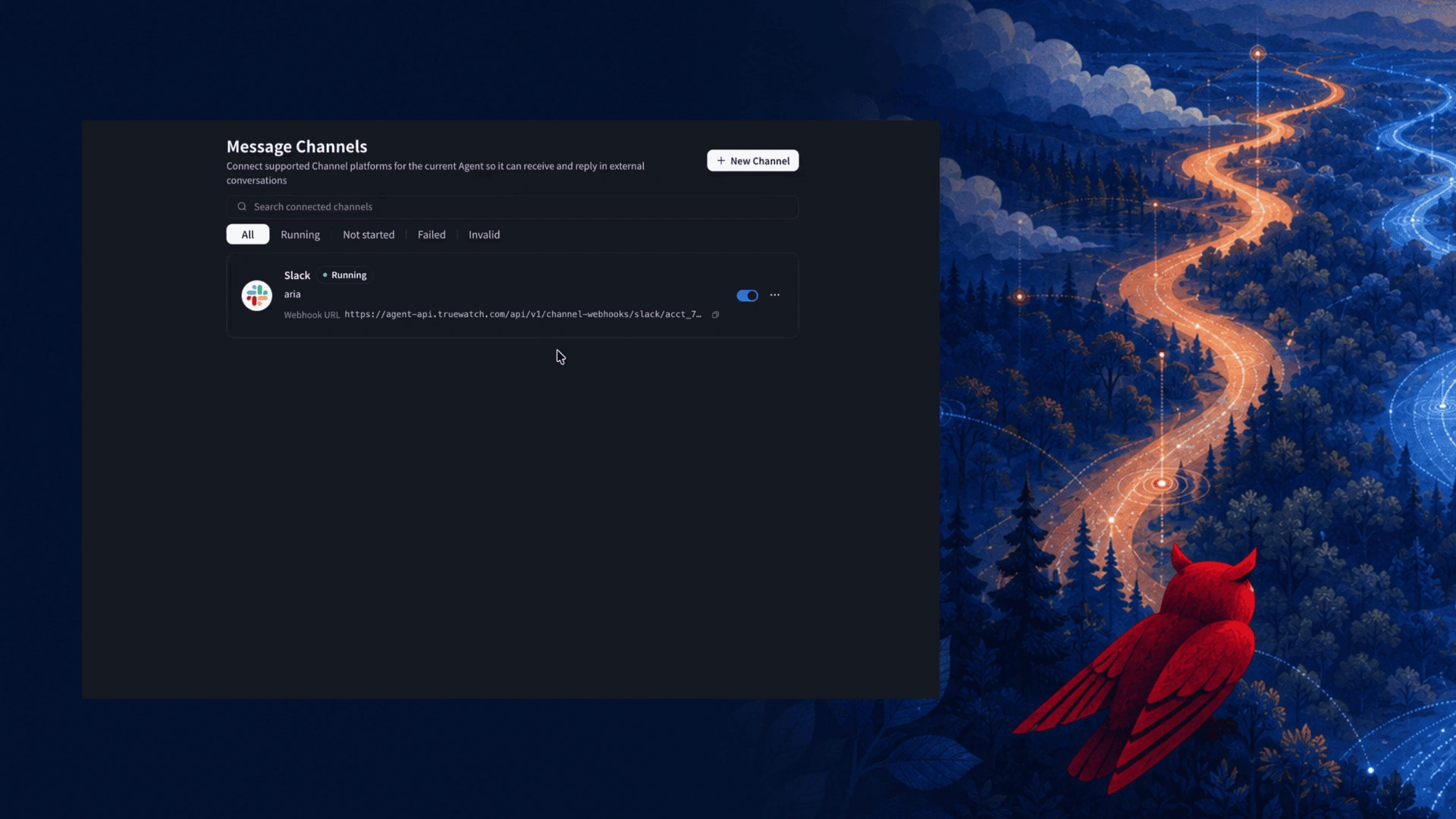
ChatOps is the practice of running operational work from the chat tools your team already uses. With Toby AI Agents, you can bring ChatOps to observability: connect an agent to Slack, ask it a question in a channel, and read the answer in the same conversation your team is already having. This post shows how to connect a Slack channel to a Toby AI agent, what a reply looks like, and which other chat platforms you can connect.
What is ChatOps with an AI agent?
ChatOps puts operational questions and actions into a shared chat channel, so the discussion and the evidence sit in one place. With an AI agent, the channel becomes the interface. A teammate asks a question in plain language, the agent works on it, and everyone in the channel sees the reply.
For observability, this fits because the questions are usually shared ones. "How is this host doing?" is rarely asked by one person alone. When the answer lands in the channel, the whole team reads the same answer without opening another console.
How to connect Toby AI Agents to Slack
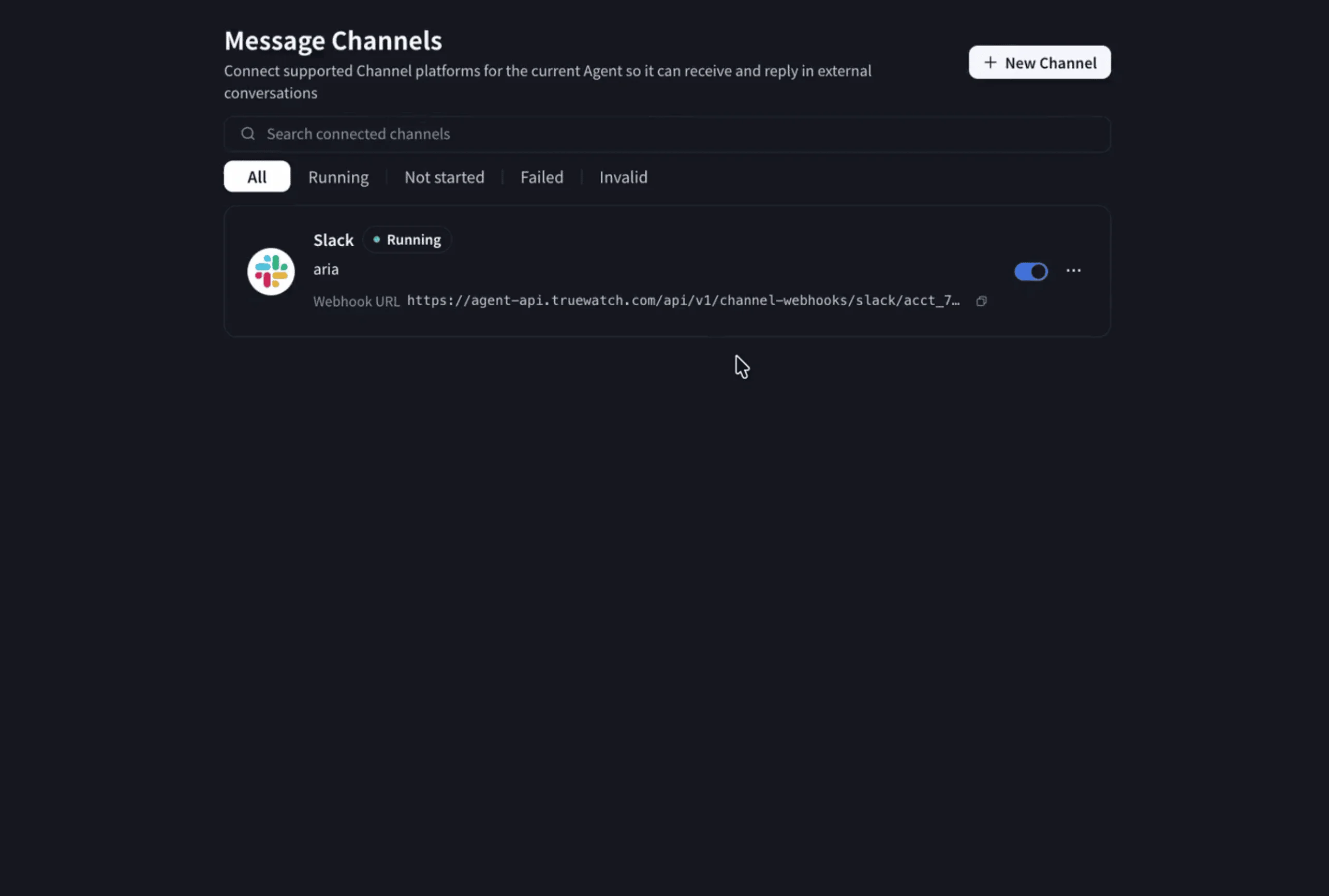
Channels are set up per agent, from the agent's workspace.
- Open the agent in Agent Workspace and go to Message Channels. This page connects chat platforms to the current agent so it can receive and reply in external conversations.
- Select New Channel.
- In the Connect Channel dialog, choose the channel type, in this case Slack, and complete the details requested for that type.
- Select Save.
Once saved, the channel appears in the Message Channels list. Each entry shows its platform, a status such as Running, a toggle to switch it on or off, and its webhook URL. You can filter the list by All, Running, Not started, Failed and Invalid, and search across your connected channels.
Ask your Toby AI agent a question in Slack
With the channel running, go to the connected Slack channel and message the agent. In the demo, the question was about the current state of a virtual machine. The agent works on the request and posts its answer in the channel.
What a Toby AI agent reply looks like in Slack
The reply is structured so it can be read quickly in a thread. For the virtual machine question, the agent returned:
- System basics: uptime, operating system, CPU, memory, disk, swap and load.
- Top memory consumers: a table listing each process with its share of memory and its role.
Because the answer is in the channel, teammates can reply in the thread, ask a follow-up, or act on it without leaving the conversation.
What happens when the agent cannot finish a task
Not every request succeeds. In the demo, one reply reported a blocker: the API key the agent was using did not have the permission needed to list workspaces or dashboards. The agent named the cause and listed next steps, starting with using a user-created personal API key and then retrying the listing.
A reply that states what is missing and what to do next is easier to act on than a vague failure.
Connect other chat platforms to Toby AI Agents
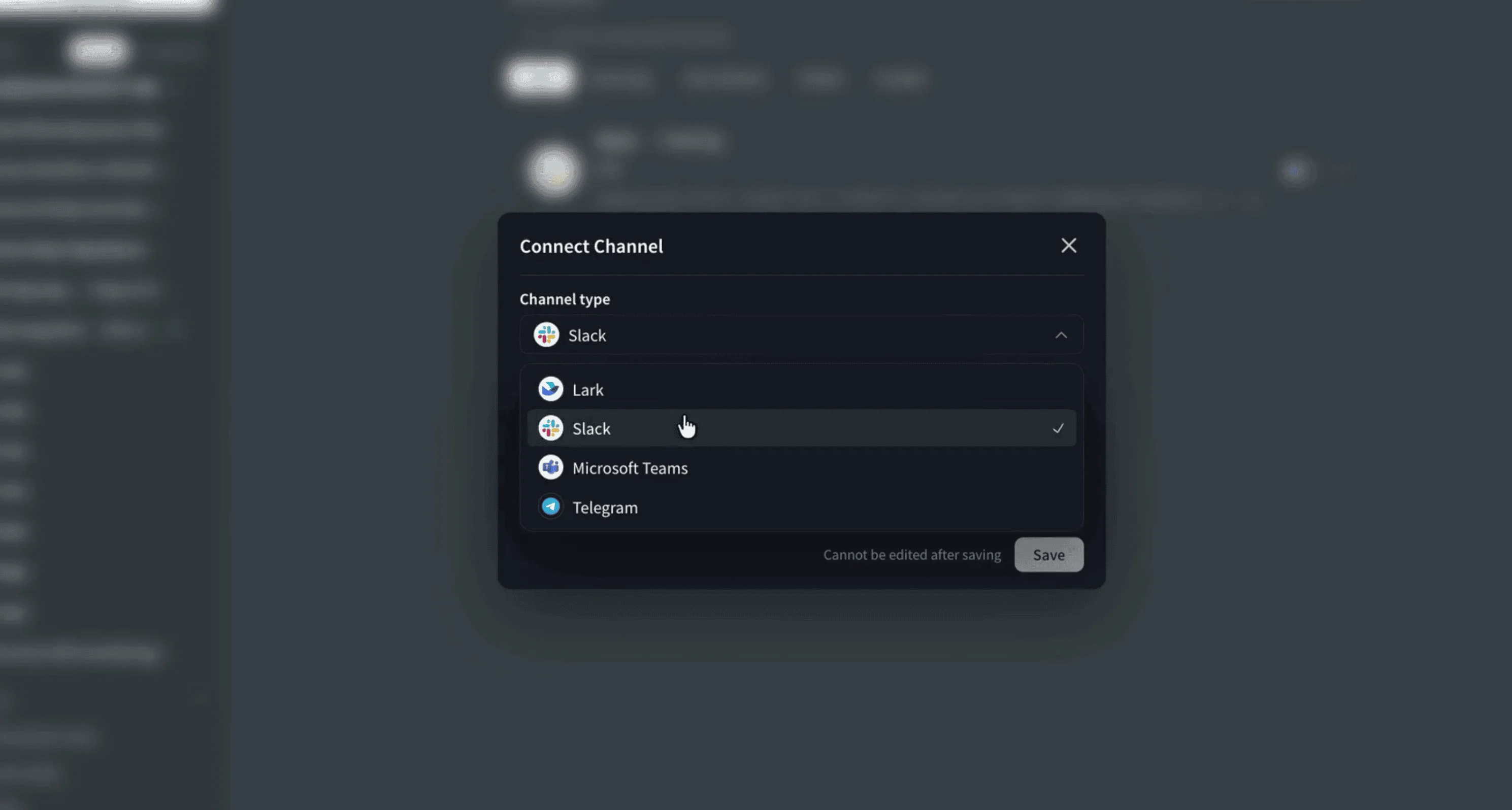
Slack is one of four channel types in the Connect Channel dialog:
- Lark
- Slack
- Microsoft Teams
- Telegram
Pick the platform your team already uses, and connect it from the same Message Channels page.
Review what your agents are doing
Connecting an agent to chat is one part of running agents day to day. Agent Monitoring shows requests, sessions and evaluation results for your Toby AI agents, so you can review what an agent did after the conversation moves on. The full walkthrough covers it from the dashboard through to monitoring.
Watch the full Toby AI Agents walkthrough on YouTube or read the Toby AI documentation.
FAQ
What is ChatOps?
ChatOps is running operational work, such as asking questions and taking actions, from a shared chat channel. With Toby AI Agents, the agent answers in the same channel where your team is talking.
Which chat platforms can I connect to Toby AI Agents?
The Connect Channel dialog lists Lark, Slack, Microsoft Teams and Telegram as channel types.
Where does the agent reply when I ask a question in Slack?
The agent posts its reply in the connected Slack channel, so everyone in the channel can read it and respond.
What does the agent do when it cannot complete a request?
In the demo, the agent reported the blocker, which was a missing API key permission, and listed the next steps to resolve it.
