
TrueWatch released a new product update on September 2, 2026, with improvements across Toby AI TruePilot, Toby AI Agents, Monitors, Cloud Billing, Agent Monitoring, Application Performance Monitoring, logs, metrics, Dashboards, Incident Center, and integrations.
Toby AI TruePilot
Pre-purchase credit top-up in the workspace
A pre-purchase credit entry has been added to the workspace, so teams can buy credits as soon as they are needed to keep AI capabilities available.
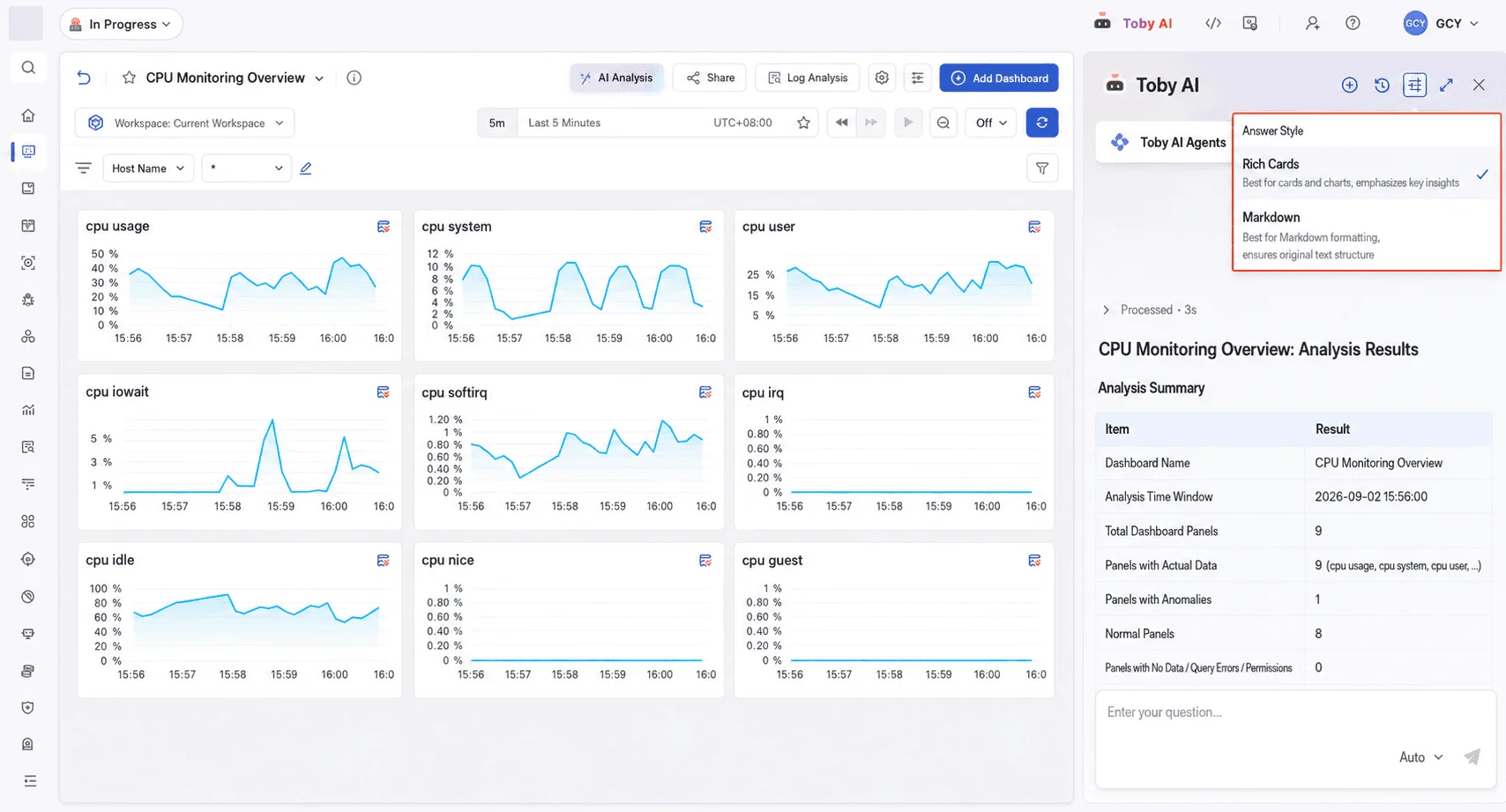
Markdown and structured card output
Toby AI TruePilot now supports two output formats, plain Markdown and structured cards, so a response can be presented as readable prose or as a compact card suited to interaction.
Toby AI Agents
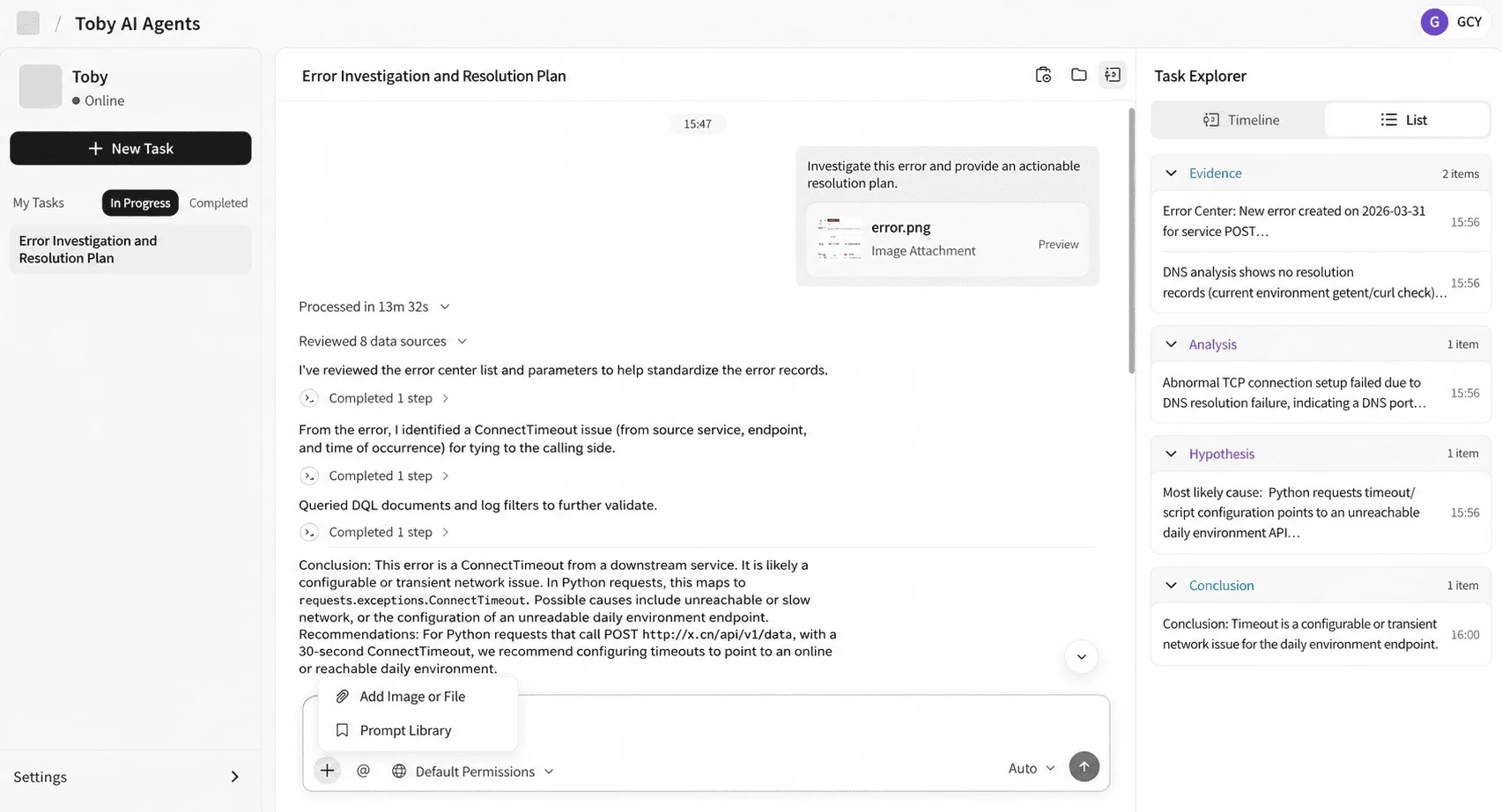
Multi-modal task input
Task input now accepts text, images, and other file types. Files can be uploaded directly, giving an agent richer context for the task instead of a text description alone.
Monitors
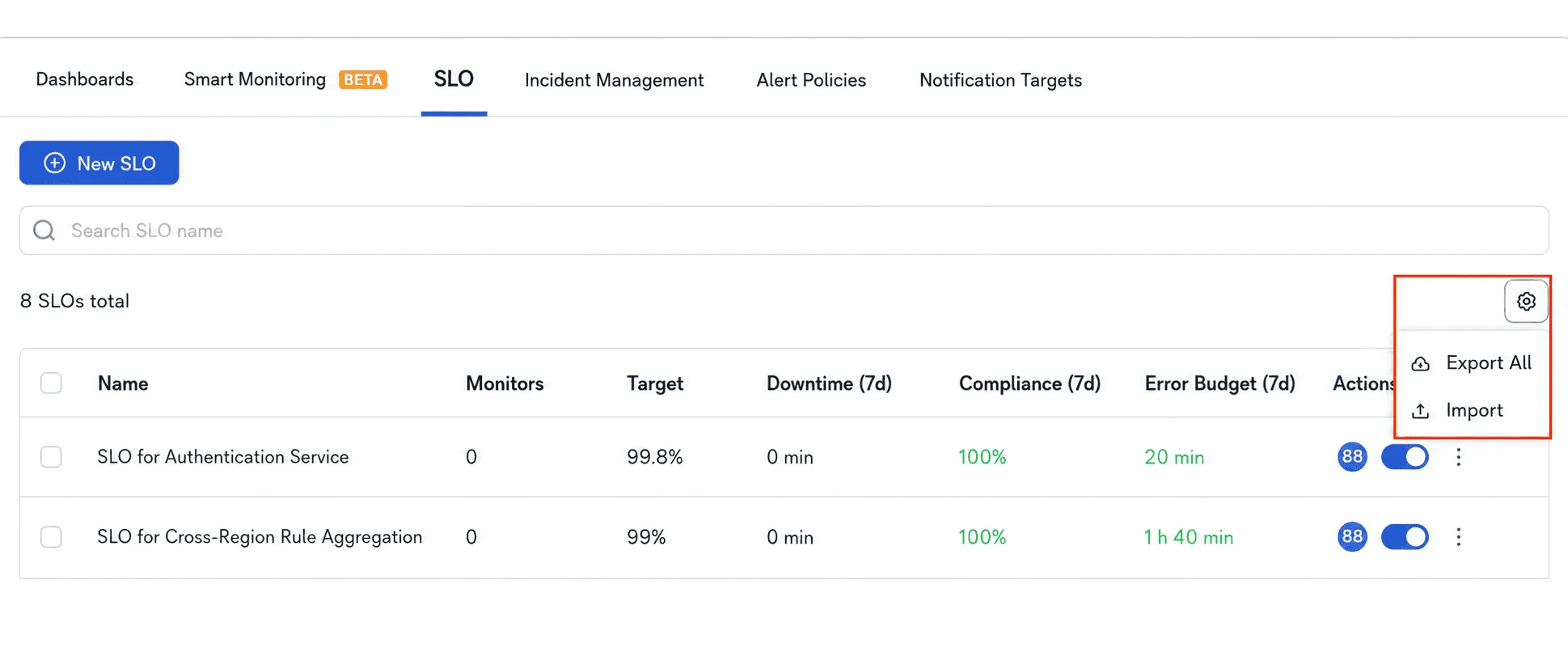
SLO configuration import and export
SLO configurations can now be exported and imported, which makes it much faster to migrate configurations between multiple workspaces in the same organization.
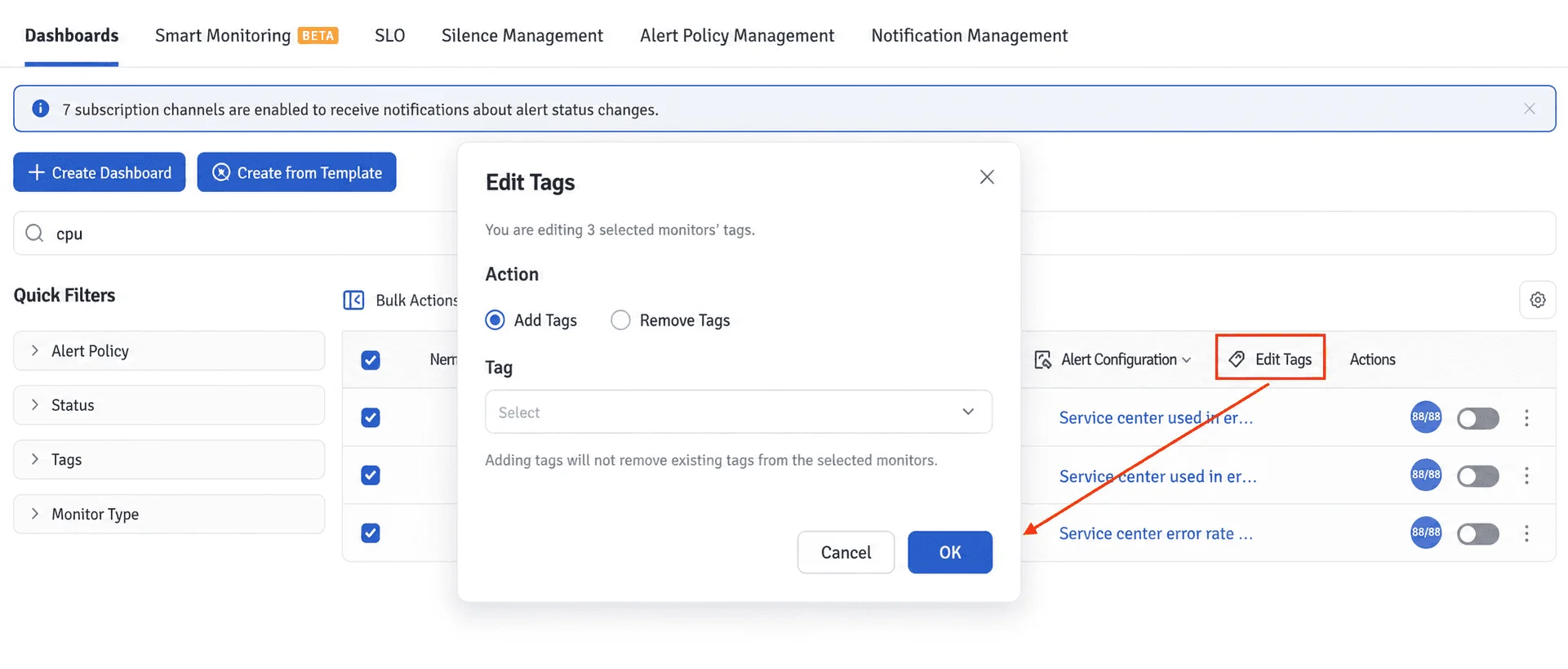
Bulk tagging for monitors
Labels can now be added to or removed from a selected set of monitors in bulk, which makes large monitor sets far easier to manage.
Cloud Billing
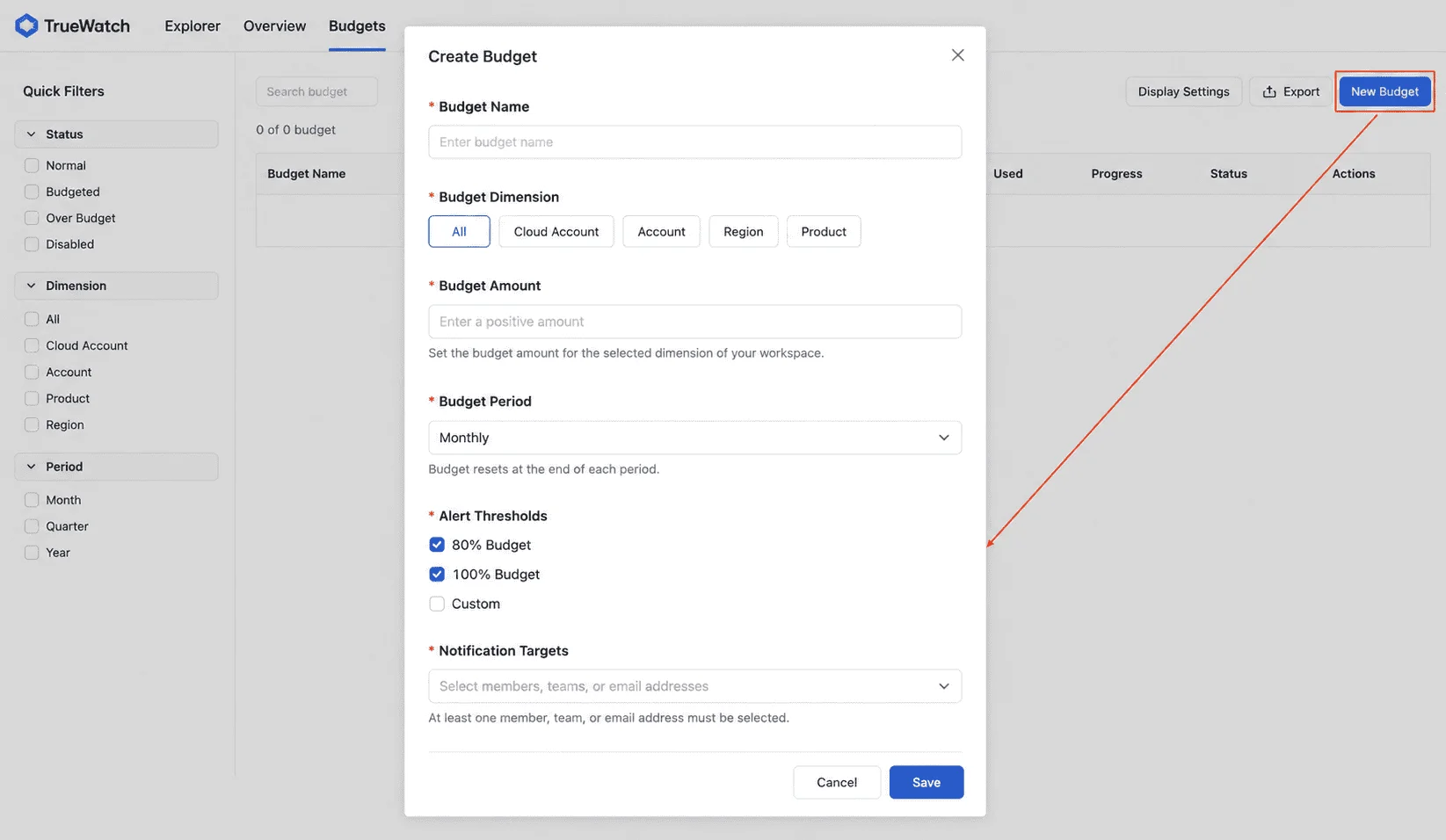
Budget management
Budget rules can now be created by cloud provider, cloud account, region, and product, on a monthly, quarterly, or annual cycle. The release includes a budget list, real-time status calculation, and edit and delete actions.
Budget detail page
A new budget detail page shows the budget amount, spend to date this month, remaining budget, and remaining days, along with the cumulative spend trend for the current cycle and the alert history.
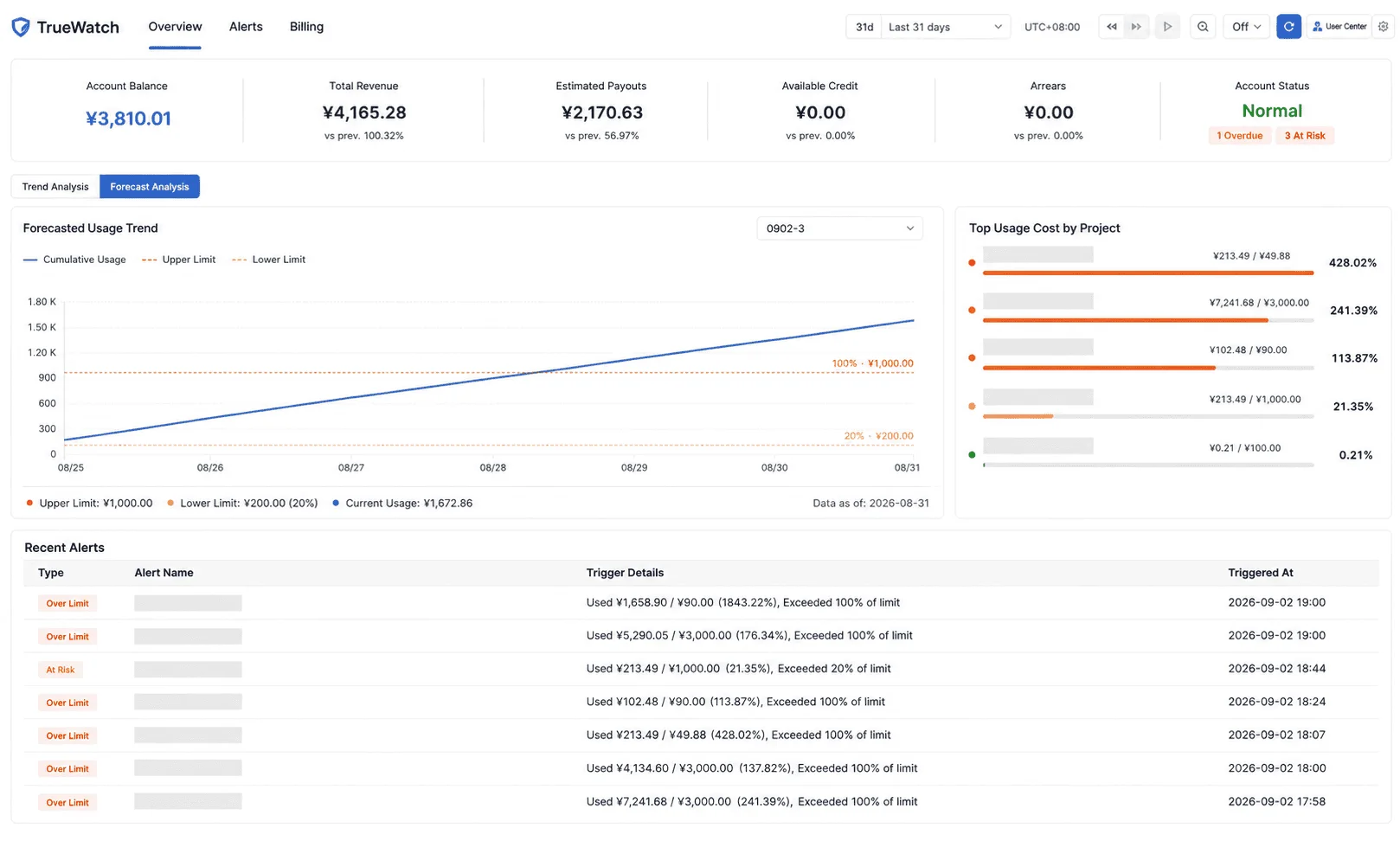
Overview page and Budget Analysis tab
Cloud Billing Analysis has been renamed to Overview, and a Budget Analysis tab has been added. It shows budget consumption trends, a budget utilization ranking, and recent alert records, with the trend chart displaying both the budget cap and the warning threshold.
Agent Monitoring
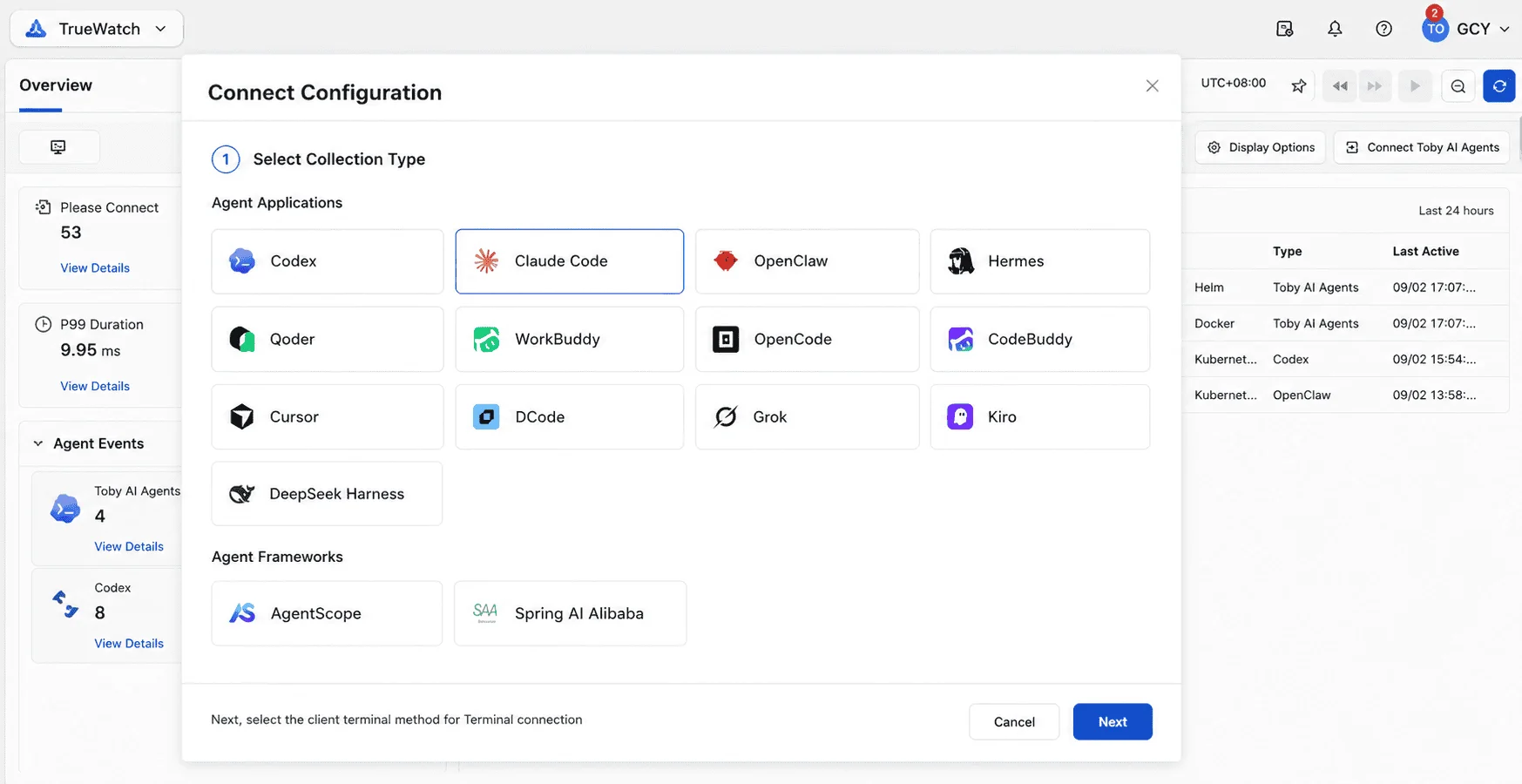
Agent Applications and Agent Frameworks categories
Agent types are now grouped into Agent Applications and Agent Frameworks, so monitoring data can be viewed and managed by category.
New agent types recognized
Kiro, Dcode, and Grok agent types are now recognized and displayed.
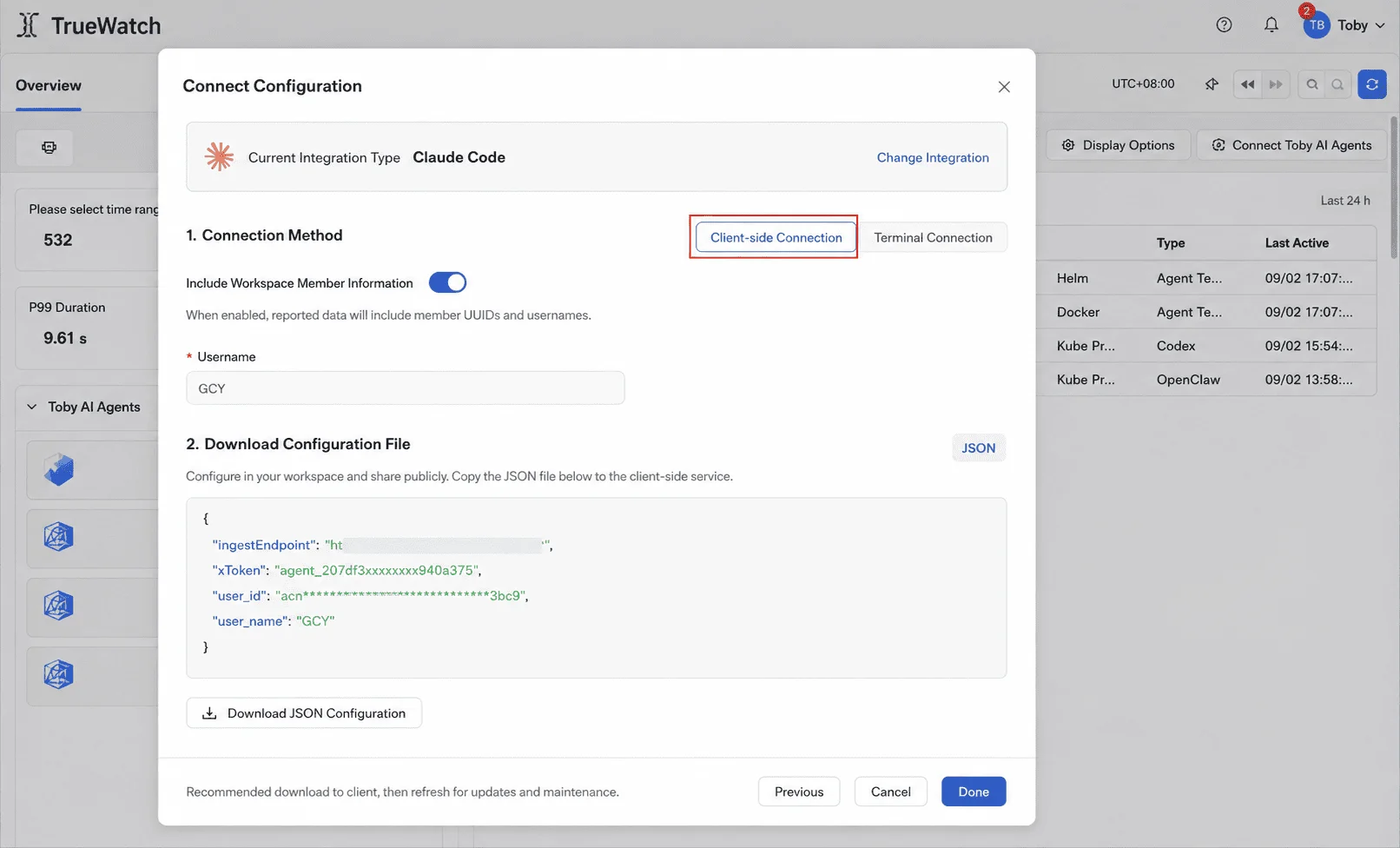
Claude Code client integration
Claude Code adds a client integration method, extending how agents can be connected to Agent Monitoring.
Application Performance Monitoring
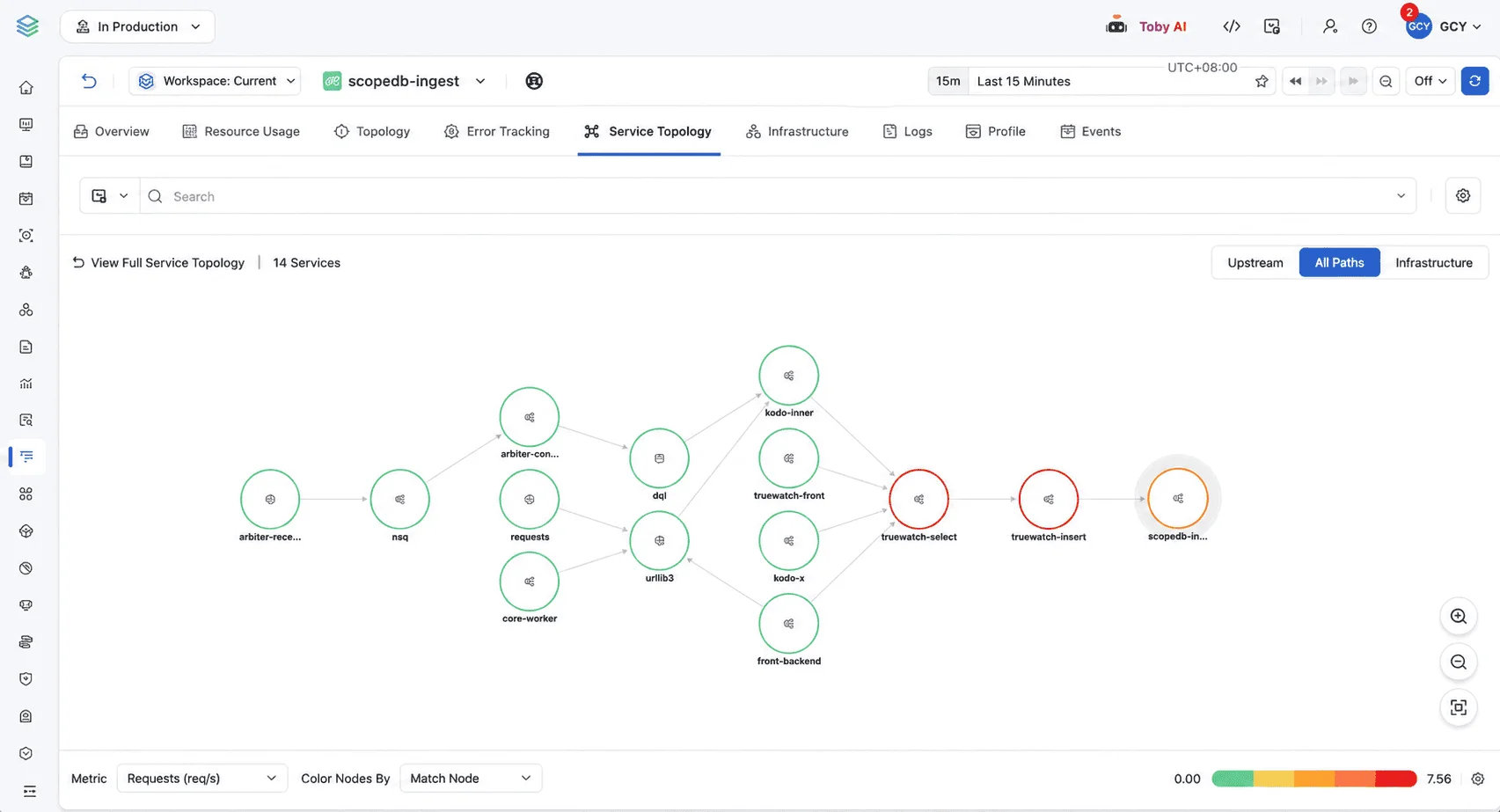
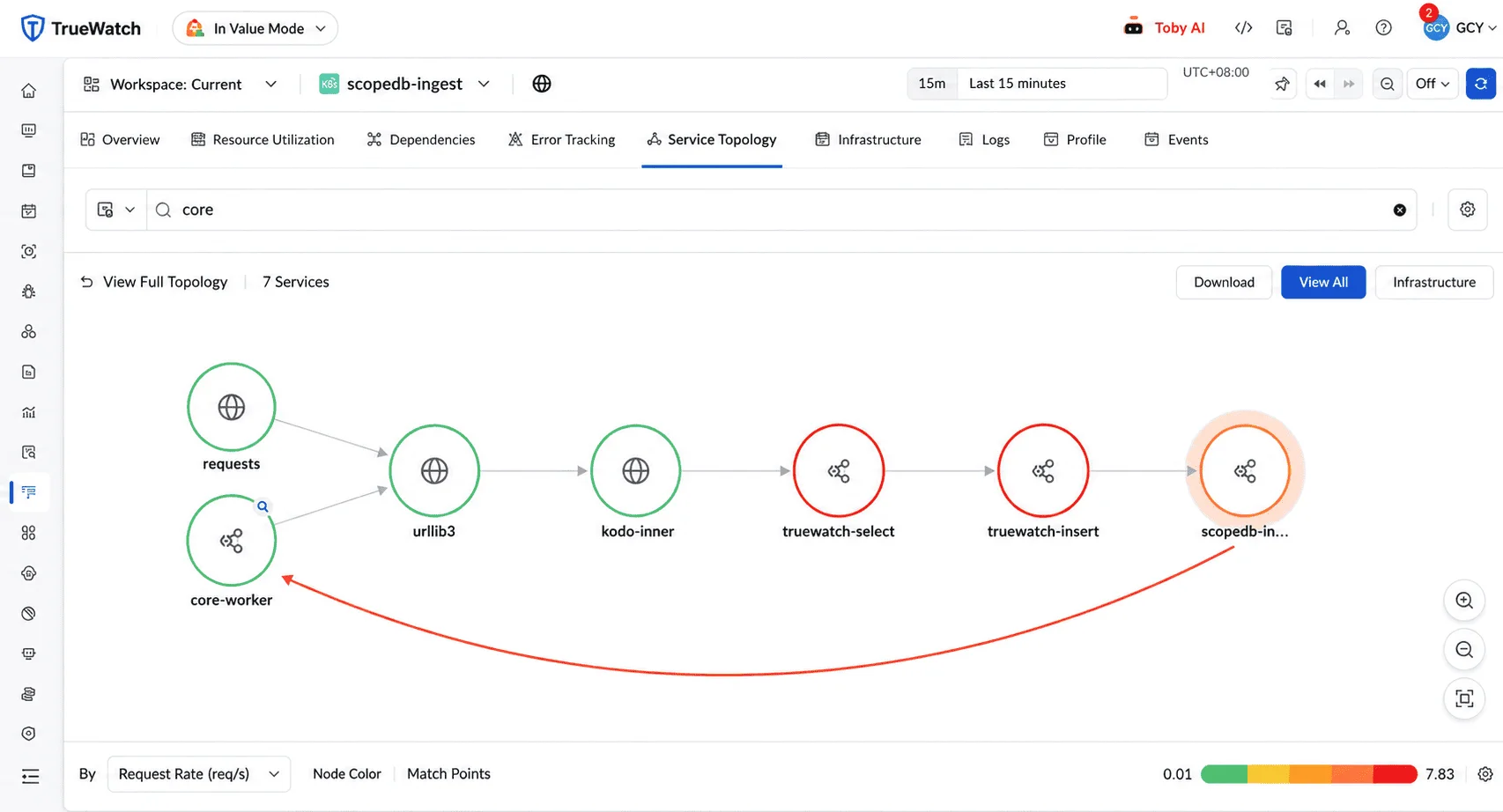
Service topology relationship filtering
In a single-service topology, searching for and selecting another service now focuses the view on the call relationships between the current service and the selected one, which makes service dependencies faster to analyze.
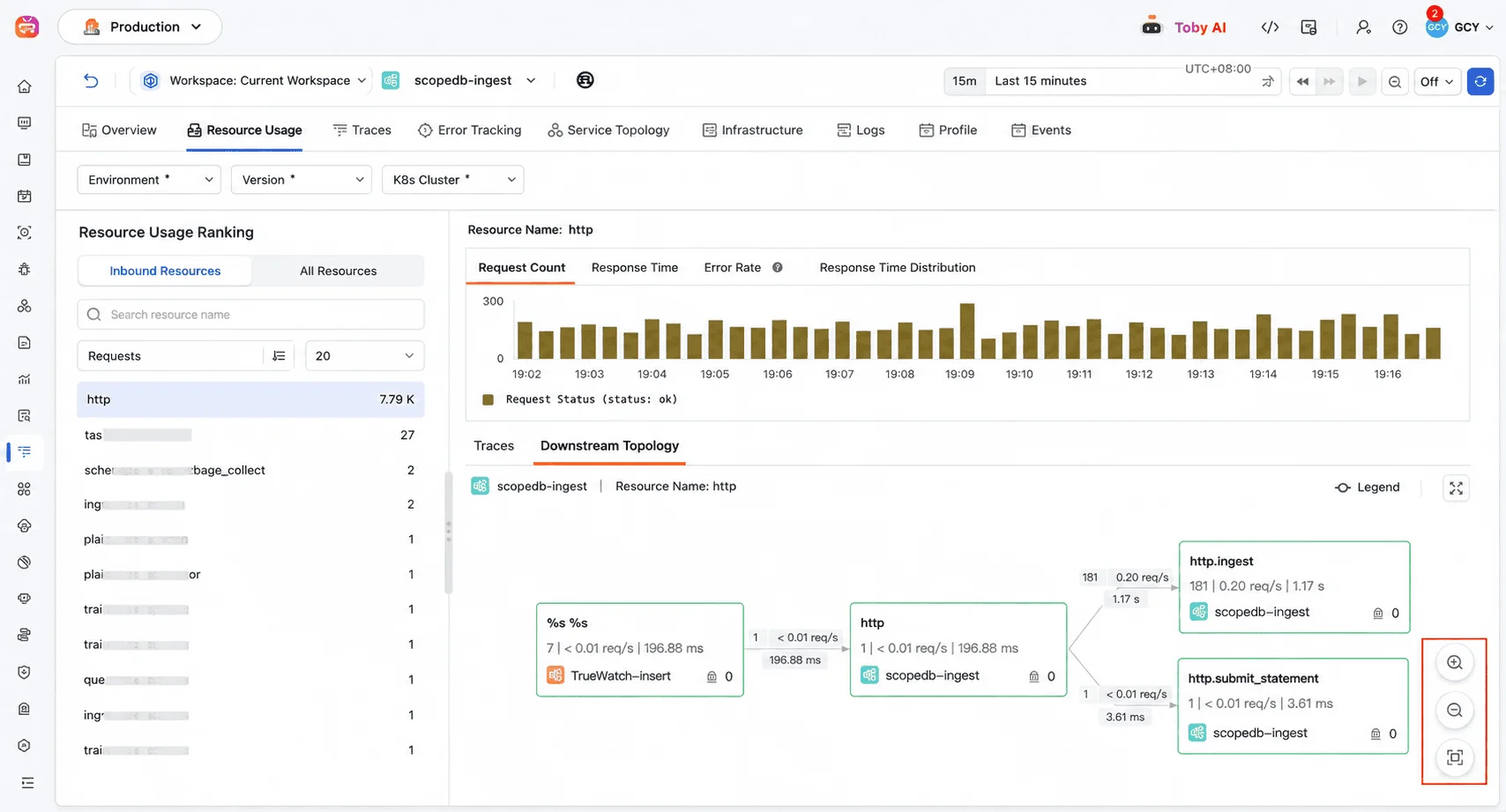
Layout reset for upstream and downstream topology
The upstream and downstream resource call topology adds a Restore Layout button for quickly resetting node positions.
Logs
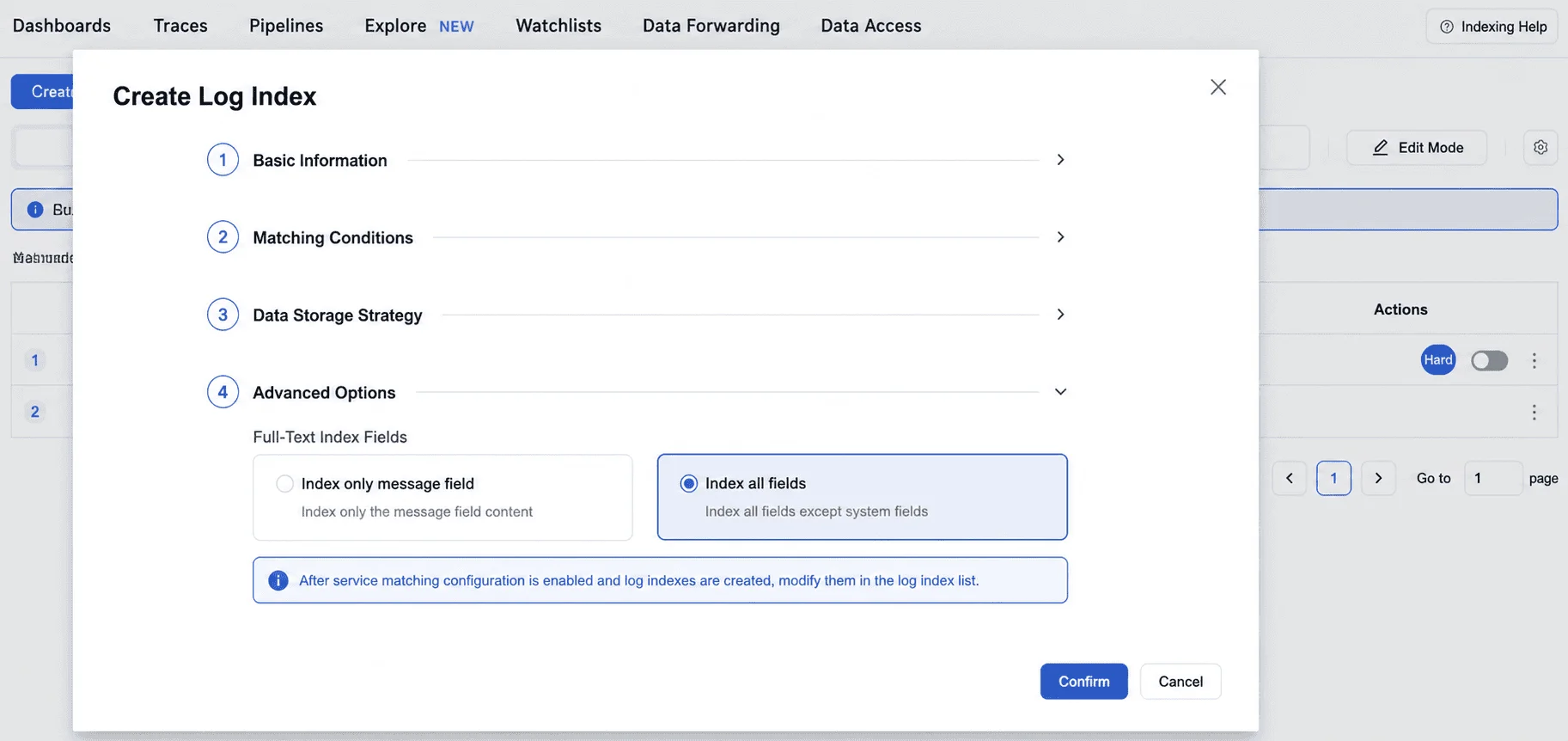
Default log index mode changed to full-line indexing
Newly created log indexes now use full-line indexing by default. Existing message indexes continue to work and support a one-way switch to full-line indexing.
Metrics
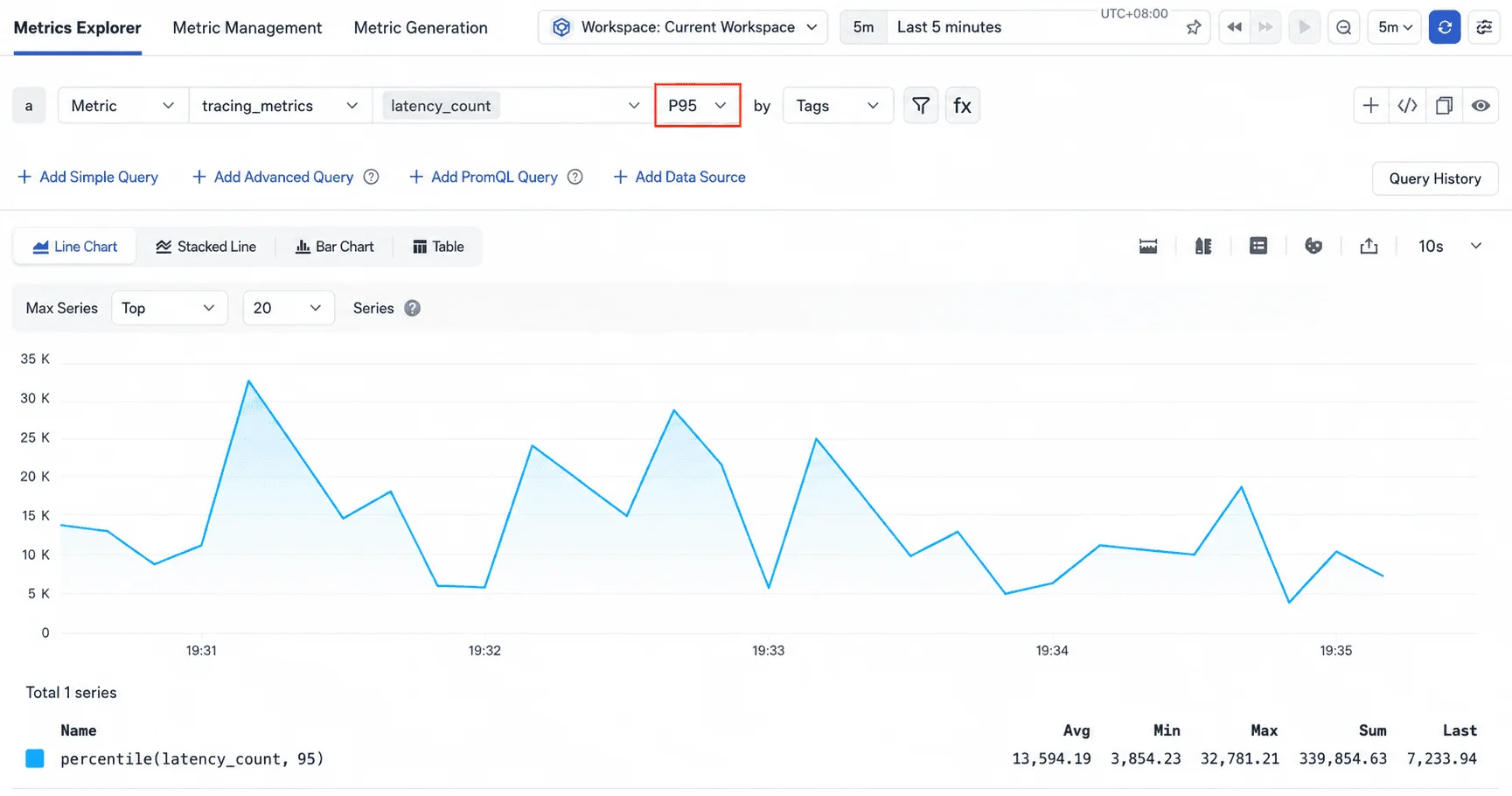
P95 aggregation in metric analysis
P95 has been added to the aggregation methods available in simple queries, for high-frequency percentile analysis.
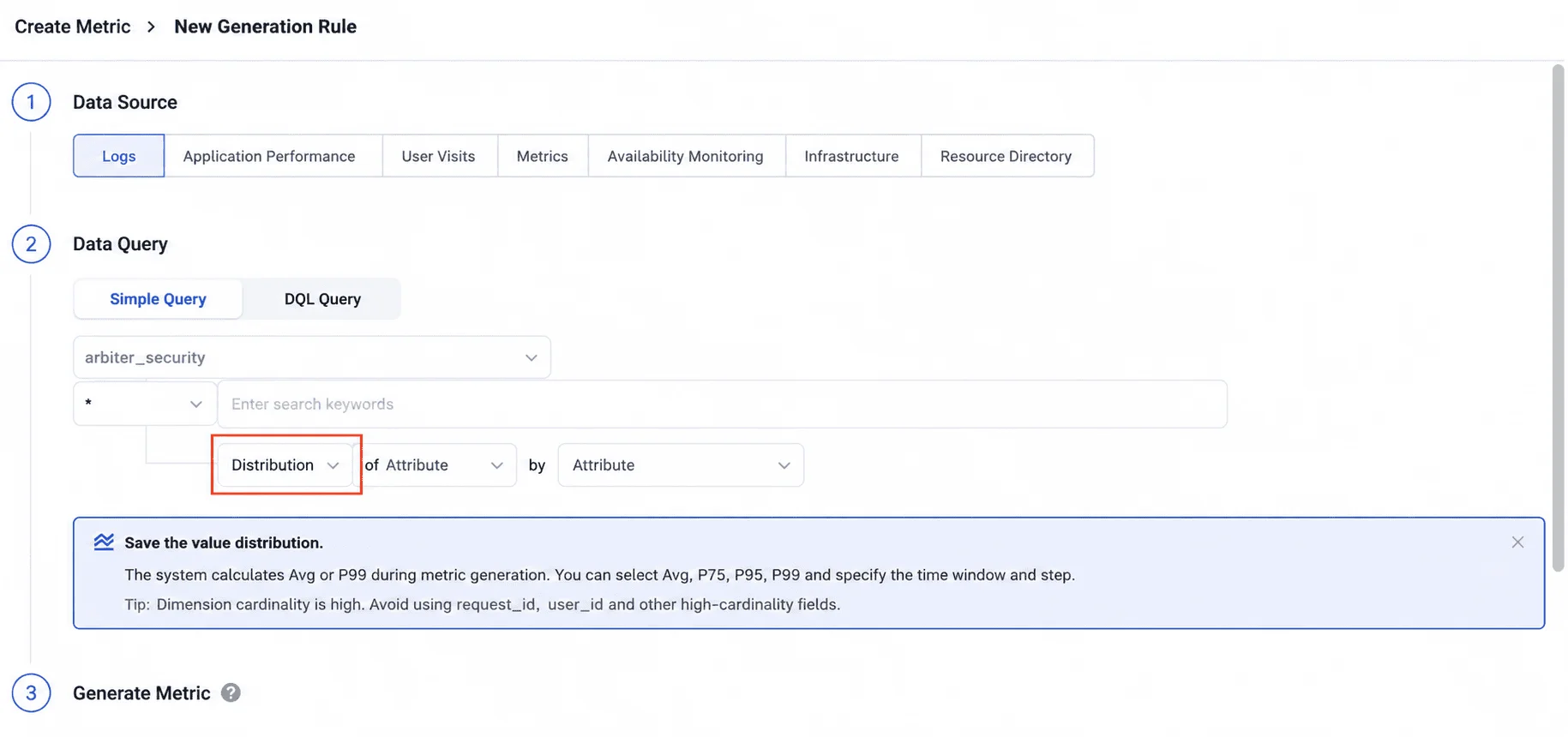
Distribution aggregation for generated metrics
Generated metrics now support a Distribution aggregation that saves the distribution of a numeric field. At chart query time, statistics such as Avg, P75, P95, and P99 can be selected as needed, and values can be recalculated across time ranges and dimensions.
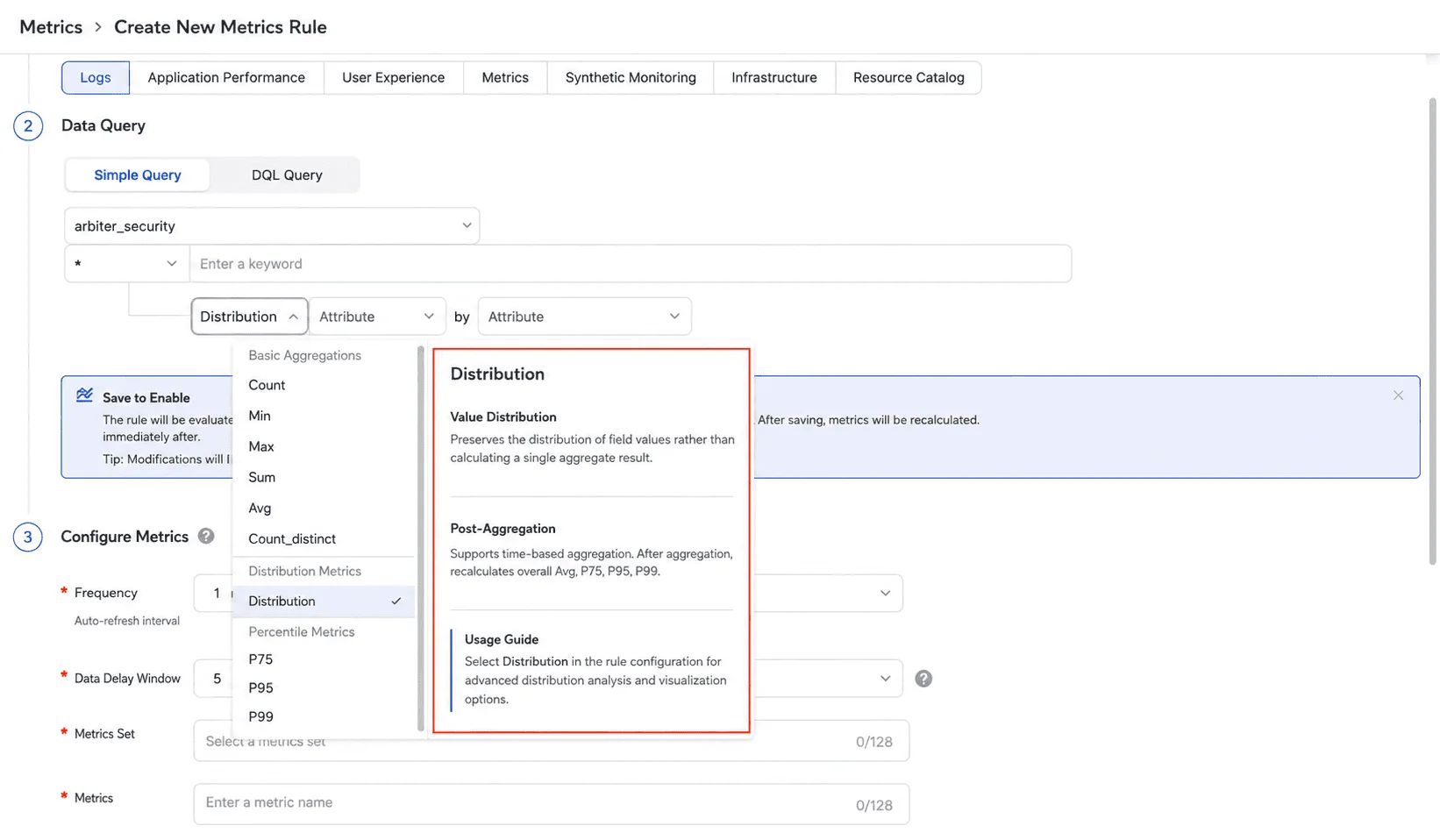
Clearer aggregation method selection
The aggregation method dropdown adds a function description panel. Hovering over a function shows what it saves, the limits that apply to secondary aggregation, and usage guidance. Selecting Avg, Count_distinct, P75, or P99 automatically surfaces the relevant secondary aggregation limits.
Dashboards
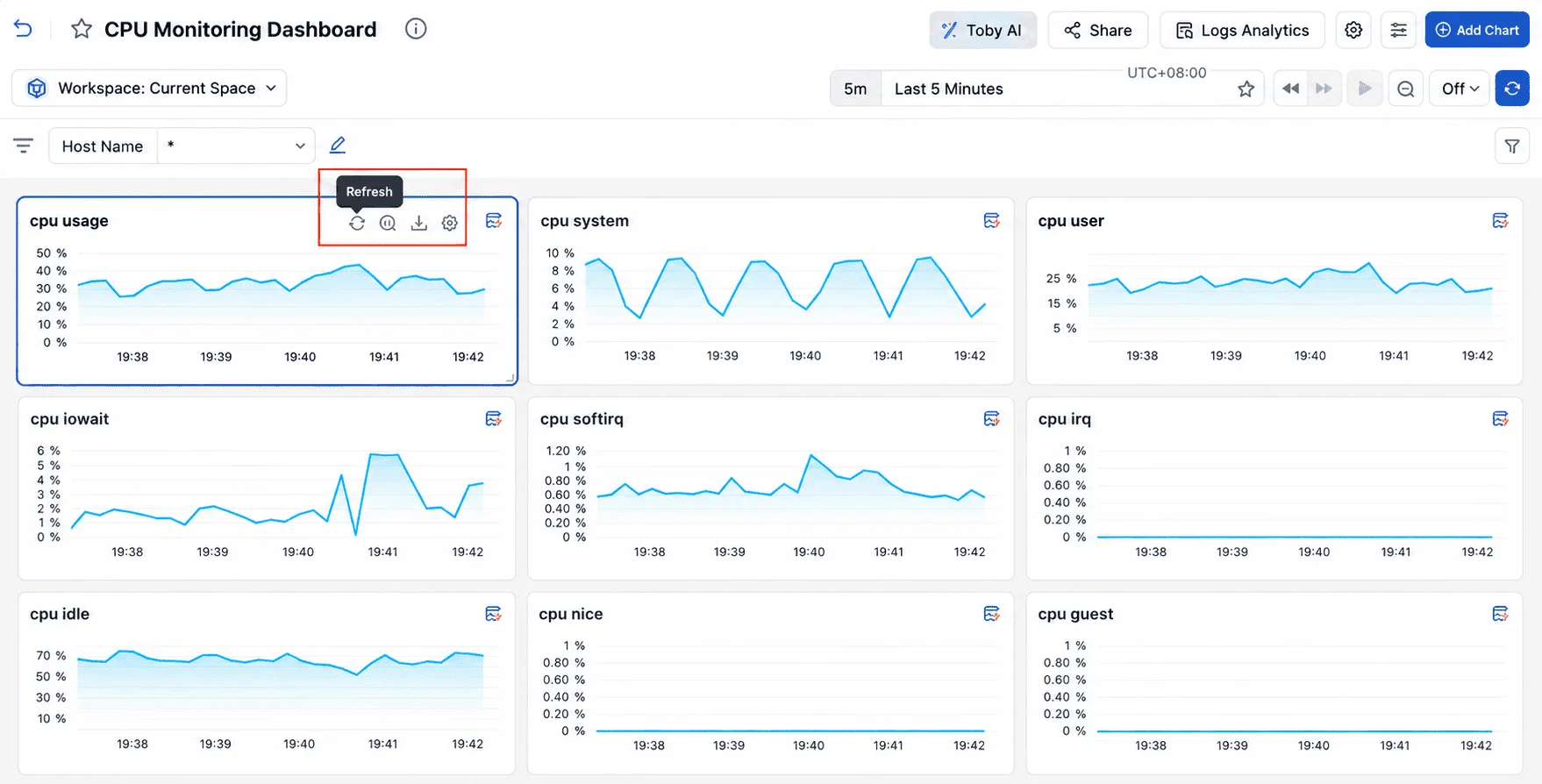
Refresh a single chart
An individual chart can now be refreshed on its own. A smaller refresh granularity returns the latest data faster and reduces query overhead in resource-constrained environments.
Incident Center
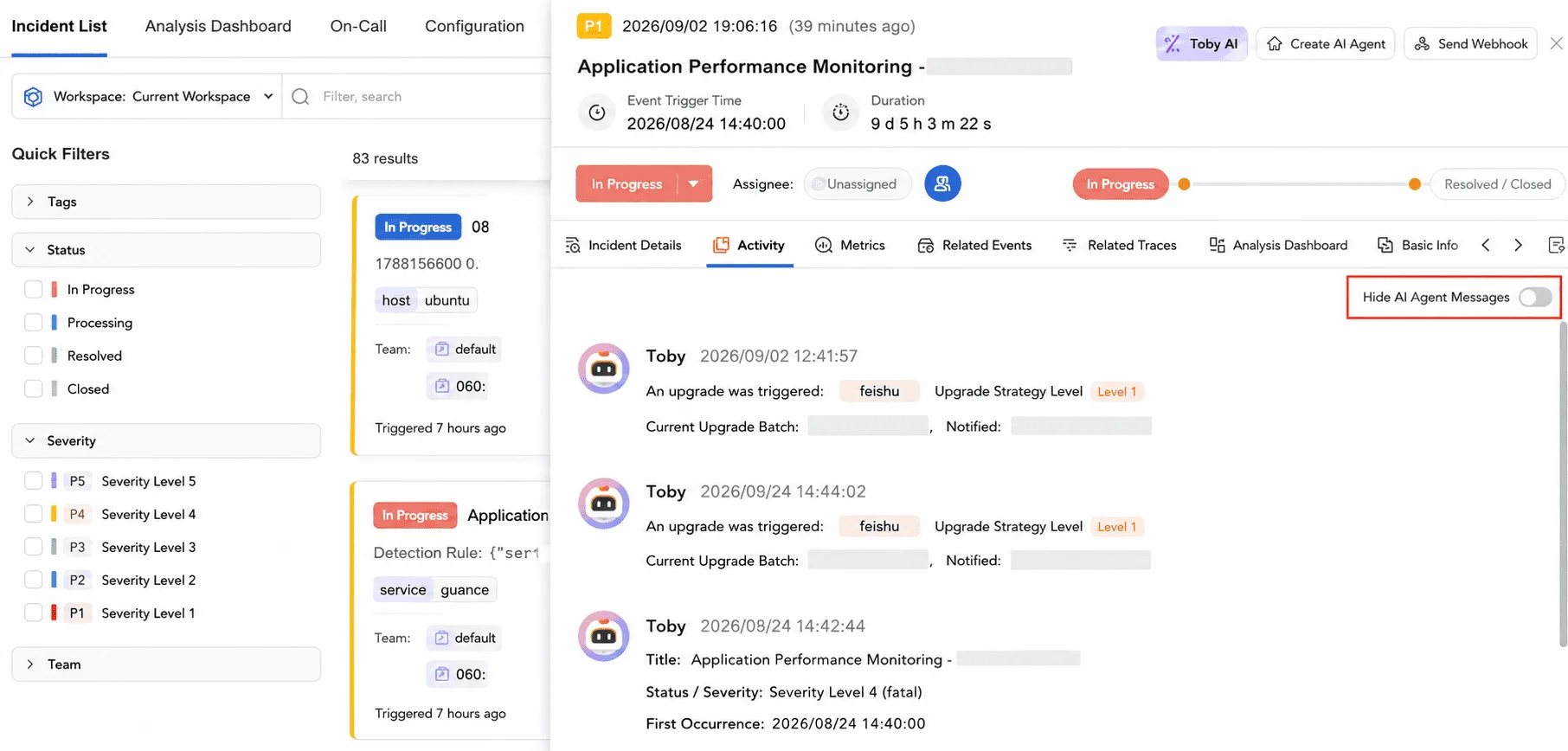
Collaboration record view modes
The incident view now switches between Collaboration Records and Conversation Records, so a responder can read the full collaboration history or only the human conversation.
Integrations
- Grok Build observability: obs-agent-connector adds observability support for Grok Build, further extending the range of agent applications that can be connected.
- Go compile-time zero-code instrumentation documentation: new integration documentation for OpenTelemetry Go compile-time zero-code instrumentation based on otelc v1.1.0, to speed up OpenTelemetry onboarding for Go applications.
- New Azure cloud collector templates: Kubernetes, Load Balancer, MySQL, Network Interfaces, PostgreSQL, Public IP, Redis Cache, SQL Server, Storage, Virtual Network Gateway, and VM.
- New GCP Redis integration: GCP Memorystore for Redis Cluster, with integration documentation, a dashboard, and monitors for fast onboarding.
- New Tencent Cloud TKE integration: collects TKE metrics, completing observability coverage for Tencent Cloud container services.
- New AWS collectors: Storage Gateway, Backup, Network Firewall, and VPC Endpoint Service.
Bug Fixes
- Fixed an issue in the Volcengine Billing collector.
- Updated the AWS VPC Endpoint and Amazon SageMaker collectors.
FAQ
What is the biggest operational update in this release?
Cloud budget management is the most consequential change for daily operations. Budget rules can be created per provider, account, region, and product on a monthly, quarterly, or annual cycle, and the new budget detail page and Budget Analysis tab show consumption trends, utilization rankings, and alert history, so an overspend is visible while it is forming rather than at invoice time.
What changed for Toby AI TruePilot and Toby AI Agents?
Toby AI TruePilot adds an in-workspace pre-purchase credit entry and can return responses as structured cards as well as plain Markdown. Toby AI Agents accepts multi-modal task input, so a task can include uploaded images and files alongside its text description.
Why does this release matter for teams running their own AI agents?
Agent Monitoring now separates agent applications from agent frameworks, recognizes the Kiro, Dcode, and Grok agent types, and adds a Claude Code client integration. Teams building on those tools get behavior and quality data from the same platform that monitors the rest of their stack.