
Modern AI observability platforms give teams a lot of data and a lot of control. That also means new users often need help with product setup, query syntax, Pipeline scripts, and the right way to look at a problem.
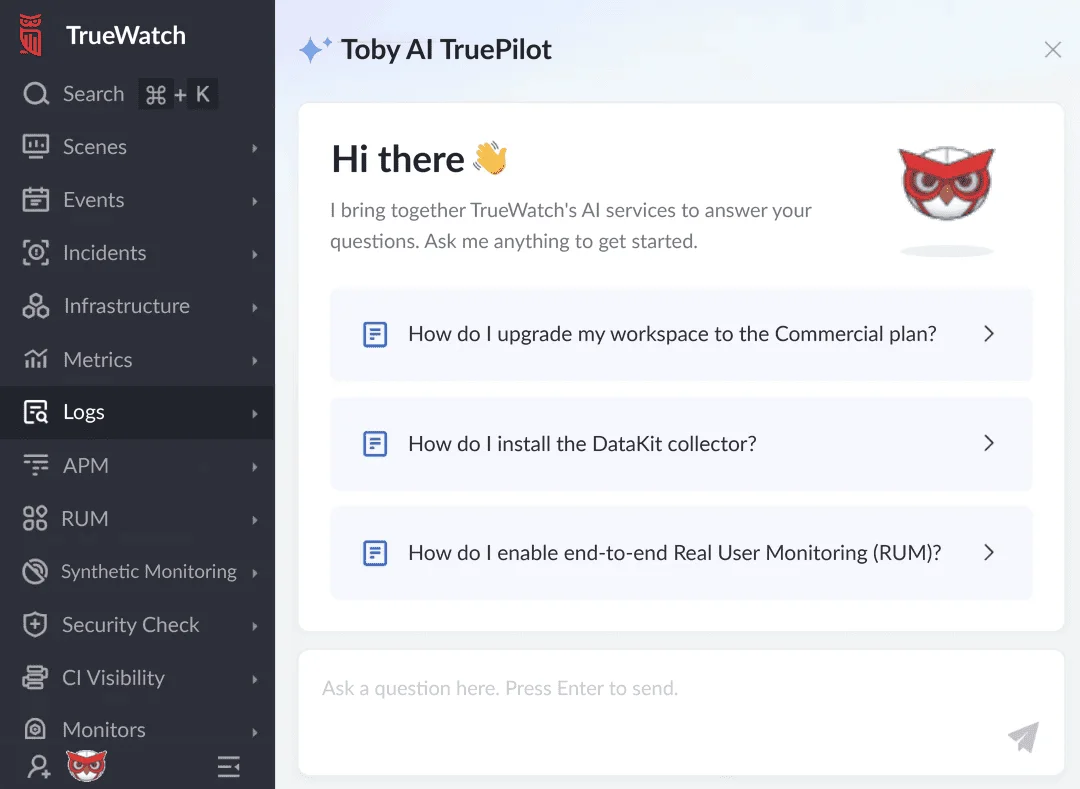
TrueWatch Toby AI TruePilot is designed to reduce that friction. Through a conversational interface, users can ask product questions, draft DQL queries, and generate Pipeline script examples without starting from a blank page.
It is not meant to replace engineering judgment. It is meant to help users move faster from "what do I need to write?" to "here is a reasonable starting point I can review, adjust, and run."
A Product Expert Beside the Console
TrueWatch Toby AI TruePilot acts like a lightweight product expert inside the workflow. New users can ask how to configure a capability. Experienced users can ask for syntax help or examples when they do not want to leave the console and search documentation manually.
Common questions include:
- How do I write a DQL query for a specific metric?
- How do I process Nginx logs with a Pipeline script?
- Which product feature should I use for this monitoring task?
- What does this configuration option mean?
The value is not that the assistant "knows everything." The value is that it shortens the loop between question, example, and next action.
Draft DQL Queries From Natural Language
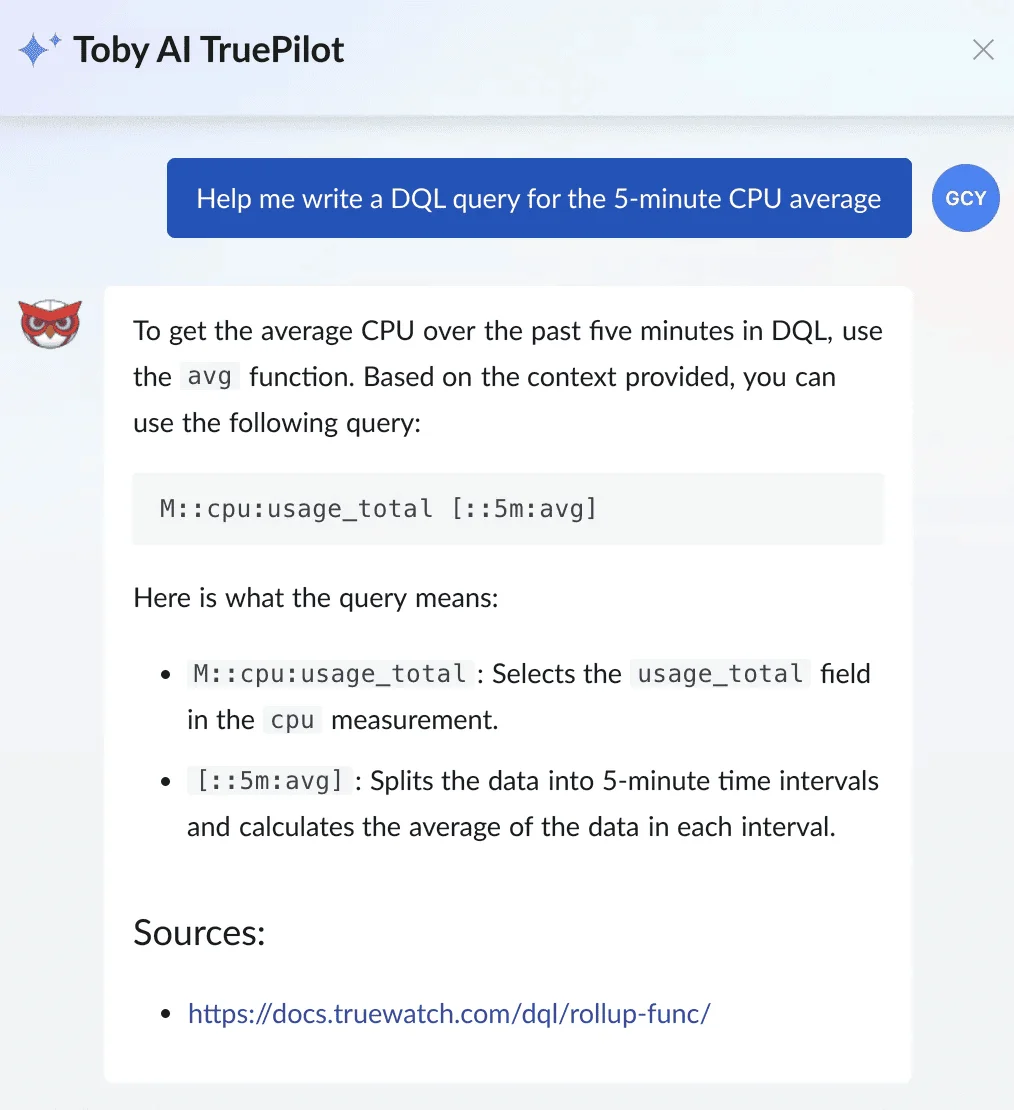
DQL is expressive, but users still need to remember DQL syntax, fields, time windows, aggregation functions, and filters. For routine questions, the assistant can help turn a natural language query into a working draft.
Example:
Write a DQL query for the average CPU usage over the last five minutes.
The generated query should be treated as a starting point. Users should still confirm the metric name, workspace, filters, grouping dimensions, and time range before using it in production workflows.
Generate Pipeline Script Examples
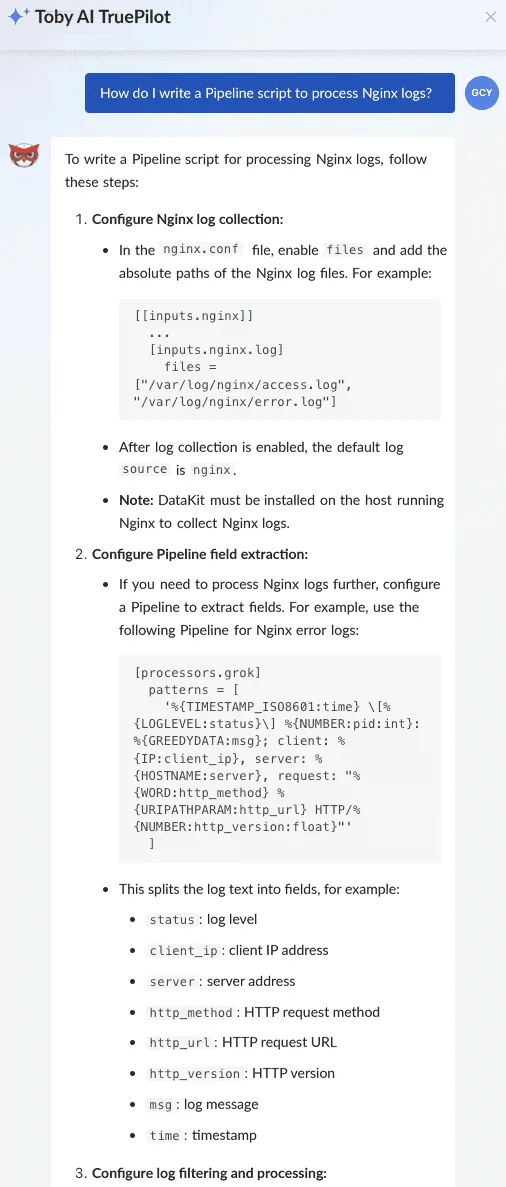
Log processing often requires small but careful transformations: parsing fields, normalizing timestamps, extracting dimensions, dropping noise, or structuring raw log lines for later search and analysis.
TrueWatch AI Assistant can help users draft Pipeline examples from a natural-language prompt.
Example:
How should I write a Pipeline script to process Nginx logs?
Toby AI TruePilot can provide a script pattern that users can test and refine. As with any generated code, the output should be reviewed against real log samples before it is applied broadly.
From Assistant to Agentic Workflows
An AI assistant is useful for product guidance and query generation. A production AI agent needs more than that.
As TrueWatch continues to deepen AI capabilities, the direction is clear: AI should help teams investigate incidents, summarize event-driven context, and recommend next steps based on observability evidence. But any production workflow needs boundaries: permissions, audit trails, approval flows, evidence retention, and human review for high-risk actions.
Near-term and future areas include:
- Incident detection and analysis support
- Event-based report generation
- Monitoring optimization suggestions
- Deeper integration with observability workflows
This is the same principle behind the broader TrueWatch AI architecture. Assistance should make the platform easier to use. Agentic workflows should make production investigations more reliable, governed, and evidence-based.
Frequently Asked Questions About TrueWatch Toby AI TruePilot
Does TrueWatch Toby AI TruePilot replace engineering judgment?
No. It gives you a starting point, such as a draft DQL query, a Pipeline script pattern, or a configuration answer, that you still review, adjust, and confirm before running it in production.
Can TrueWatch Toby AI TruePilot write a DQL query for me?
Yes. Describe what you need in plain language and it drafts a DQL query you can review, confirming the metric name, workspace, filters, and time range before using it.
How is this different from a general-purpose AI assistant?
It stays close to the product (DQL syntax, Pipeline scripts, and TrueWatch configuration) rather than acting as a general chat tool you have to feed context to first.
Will TrueWatch Toby AI TruePilot become a production AI agent?
TrueWatch is extending AI further into incident detection, report generation, and monitoring optimization. Production-facing agentic workflows, however, require added governance (permissions, audit trails, human review) beyond what the assistant does today.
Next Step
Use TrueWatch Toby AI TruePilot for low-risk product questions first: DQL examples, Pipeline drafts, and configuration guidance. Then review the output the same way you would review a teammate's draft before turning it into a monitor, dashboard, or production workflow.
